


Table of Contents
- Why Returning Online Clothing Is Easier Than You Think
- Step 1: Locate the Return Policy
- Step 2: Start the Return on the Retailer's Website
- Step 3: Pack the Item Correctly
- Step 4: How to Ship a Return Package
- Understanding the Return Window for Online Orders
- Online Clothing Return Policy Examples and What They Mean for You
- What to Do If Your Return Is Delayed or Rejected
- Frequently Asked Questions
Last Updated: September 5, 2026
Why Returning Online Clothing Is Easier Than You Think
Learning how to return online clothing is less intimidating than it seems. Most major retailers have refined reverse logistics into a simplified, label-printing exercise that takes about ten minutes via a self-service portal.
This guide walks you through every step and covers tricks for avoiding pitfalls like missing windows and unexpected fees.
Step 1: Locate the Return Policy
Retailers must communicate their terms but do not always make them easy to find. Check the website footer for links labeled "Returns," "Shipping & Returns," or "Help Center." On marketplaces, the policy is usually on the order details page.
Look specifically for the return window for online orders, which is the number of days you have to initiate a return. This clock almost always starts on the delivery date, not the purchase date, but you should verify that detail. Pay close attention to whether the policy requires items to be unworn with tags attached, and whether it mentions a restocking fee or return shipping cost deduction. According to guidance from the Federal Trade Commission on online shopping rights, stores are not legally required to accept returns unless the item is defective or misrepresented, so a generous policy is a benefit, not a guarantee.
Step 2: Start the Return on the Retailer's Website
Once eligible, log into your account and open your purchase history. Most sites have a "Return Items" or "Start a Return" button next to each order, opening a portal to select the item and reason.
The system asks how you want the label: downloadable PDF, QR code, or prepaid label from the original box. Many carriers accept a QR code at a physical location, skipping printing. For defective or damaged items, use the specific reason code, this often speeds the refund and may waive shipping costs.
Step 3: Pack the Item Correctly
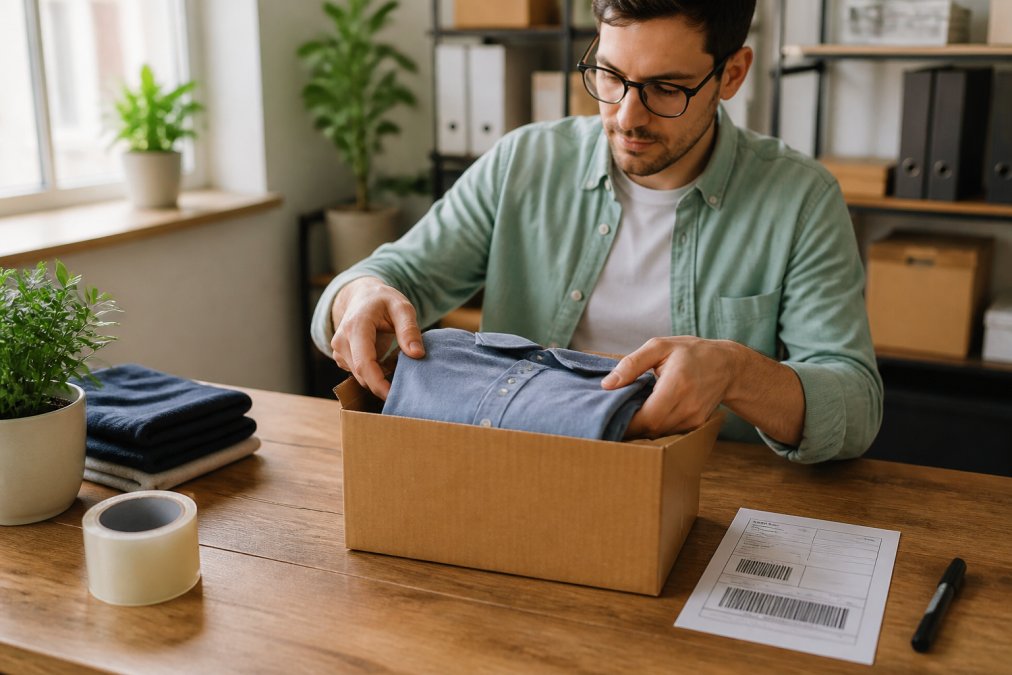
Proper packaging separates a smooth refund from a rejected claim. Use original packaging or any sturdy box or poly mailer. Fold clothing neatly and include the packing slip. For shoes, stuff them with paper, place them in their original box, and wrap that in a shipping carton.
Remove any old shipping labels from the outer box, as a barcode scanner could route your package to the wrong destination. Seal the box securely with strong tape. You do not need to include the item's original tags if the policy allows returns without them, but leaving them attached never hurts your case. Research from the National Retail Federation's return analysis consistently shows that apparel is the most returned e-commerce category, so retailers see thousands of these packages daily and have standardized the inspection process.
Step 4: How to Ship a Return Package
How to ship a return package correctly means attaching the right label and choosing a reliable drop-off. Print the retailer's label and affix it to the largest flat side. For QR codes, bring your phone to the designated location, where the attendant scans and prints it.
Most retailers contract with one carrier, UPS, FedEx, or USPS, and the label is only valid there. Dropping it elsewhere delays your refund by days. Schedule a pickup if needed, or use a drop box for small packages. Get a receipt or tracking number at the counter; it is your only proof of handoff.
Carrier-Specific Drop-Off Mechanics
Each carrier has distinct drop-off rules:
- UPS: You can drop off at any UPS Store, UPS Access Point, or with a driver during a scheduled pickup. UPS Access Points, often local businesses like convenience stores, are a convenient option if you are not near a full service center. The label will indicate if the package must go to a UPS Store specifically, which is common for QR code returns that require the attendant to print the label.
- FedEx: FedEx offers drop-offs at FedEx Office, FedEx Ship Centers, and authorized drop boxes. For QR code returns, you must use a staffed location, as drop boxes cannot scan codes or print labels. FedEx also offers the option to hand the package to a driver if you are home during a scheduled pickup.
- USPS: If the label is a USPS return, you can hand it to your mail carrier during your regular mail delivery or drop it at a Post Office. USPS does not offer QR code printing at drop boxes, so you must either print the label at home or use a self-service kiosk at a larger post office that accepts package scans.
The Return Shipping Cost Question
A critical detail often buried in the fine print is who pays for the return shipping. The label the retailer generates will fall into one of three categories:
- Prepaid label (free to you): The retailer covers the cost, and the label is valid for a specific carrier. This is the most common model for apparel brands competing on customer experience.
- Label with a deduction: The retailer generates the label but deducts a flat fee (often $5.99 to $9.99) from your refund to cover shipping. The label is still valid, but your refund will be less than the item price.
- Customer-funded label: The retailer does not provide a label. You must purchase your own shipping through the carrier of your choice and send the package to the retailer's return address. In this case, you are responsible for selecting a service that provides tracking, and you will not be reimbursed for the cost unless the return is due to a defect.
What Happens After the Drop-Off
Once the carrier scans your package, tracking updates to "In Transit" or "Accepted." That scan meets your return window, not the day the retailer receives it. Keep the receipt or save the tracking number, and set delivery alerts to monitor arrival.
Understanding the Return Window for Online Orders
The return window for online orders is the days you have to mail the item back, typically 14 to 60 from delivery. It is a hard deadline; a carrier scan after it closes lets the retailer refuse the return or issue only store credit.
Set a phone reminder for the day the package arrives. If unsure about a purchase, initiate the return immediately to secure your window, even if you ship later. Waiting for a second opinion often means missing the deadline.
Online Clothing Return Policy Examples and What They Mean for You
Online clothing return policy examples vary widely, and understanding the nuances prevents checkout surprises. Some offer free prepaid labels and a 60-day window, the gold standard. Others deduct a flat shipping fee from your refund or require you to pay for the label and seek reimbursement.
| Policy Feature | What It Means for You | Why It Matters |
|---|---|---|
| Free prepaid label | Retailer covers shipping both ways | No out-of-pocket cost to try items |
| Restocking fee | Flat % or $ deducted from refund | Reduces your refund amount |
| Store credit only | No cash refund, only credit | Locks your money to that retailer |
| QR code drop-off | No printer needed | Faster, easier process |
| Return window (e.g., 30 days) | Deadline to ship item back | Miss it and you are stuck with the item |
Restocking fees cover processing and inspection, which is why many brands now offer free returns as a competitive edge. For defective items, most policies waive fees, but you may need to contact support directly rather than using the automated portal.
What to Do If Your Return Is Delayed or Rejected
Returns occasionally go wrong, but most issues are fixable. If your refund has not updated within two weeks of carrier delivery confirmation, check the portal's "Refund Status" section. Rejections usually list a reason, like "missing tags" or "used condition." Contact support with your order number, tracking number, and packing photos.
For lost packages, file a claim with the carrier using your tracking number. Retailers are generally not liable after handoff, but many issue courtesy refunds if you prove you shipped within the window. Credit card purchase protection may cover lost returns as a last resort. For international returns, contact the retailer before shipping, they often provide a label that handles customs.
The Most Common Rejection Reasons and How to Counter Them
Most return rejections fall into a handful of predictable categories. Knowing how to respond to each saves you from a frustrating back-and-forth with customer service:
- "Item not in original condition", This is the most frequent rejection for apparel. Retailers inspect for visible wear, stains, pet hair, or odors. If you believe the item was returned in new condition, respond with your timestamped photos showing the garment folded and sealed in the box. If you did not take photos, ask the retailer for their inspection photos; many warehouses log images during the receiving process.
- "Missing tags", Some retailers require the original tags attached, even if the policy says returns are accepted without them. If you removed the tags, check if the policy explicitly states tags must be attached. If it does not, quote the policy back to customer support and request a manual override.
- "Returned outside the window", If the carrier scan happened after the deadline, the system may auto-reject. However, if you initiated the return before the deadline and the delay was due to shipping transit time, most retailers will honor the return if you can show the initiation date. This is why initiating the return immediately upon deciding to send it back is critical.
The Escalation Path: What to Do When Customer Support Says No
If the first support representative cannot help, do not give up. Frontline agents often lack authority to override system rejections. Ask for a supervisor or a "manual return review," where a human reviews order history, tracking, and your photos.
If the retailer still refuses, dispute the charge through your payment method. Under the Fair Credit Billing Act, you can dispute if you did not receive the item or the merchant failed to credit a legitimate return (the FTC). Submit the return confirmation, tracking number, and correspondence. Most issuers allow 60 days from the statement date, so act quickly.
When the Package Is Lost in Transit: A Step-by-Step Recovery
If tracking shows "Delivered" but your refund has not processed, the package likely arrived but has not been scanned into the returns system. Warehouses receive hundreds of thousands of packages daily, and processing can take up to 10 business days. If "In Transit" stalls for over 10 days, the package may be lost.
- Contact the carrier first. File a trace request with the carrier using your tracking number. Carriers typically resolve traces within 5 to 7 business days.
- Notify the retailer. Forward the carrier's trace confirmation to the retailer's customer support. Many retailers will issue a courtesy refund immediately if the carrier confirms the package is lost.
- File a formal claim. If the carrier declares the package lost, they will pay the shipper (the retailer) the insured value. The retailer is then responsible for refunding you.
Frequently Asked Questions
Can I return something I bought online to a physical store?
Many retailers allow this, but it is not universal. Check the return policy on the website or your order confirmation email. Some stores only accept online returns by mail, while others let you bring the item to a physical location for an instant exchange or refund. For the smoothest process, verify the store's policy before you go. Having your order number or the original email ready can speed up the transaction at the customer service desk.
What is the standard return window for online clothing orders?
The return window for online orders typically ranges from 14 to 60 days, with 30 days being the most common standard. The clock usually starts on the delivery date, not the purchase date. Check your order confirmation or the retailer's website to confirm the exact deadline. Mark the date on your calendar when the package arrives. If you miss the window, many stores will not accept the return or may only offer store credit instead of a full refund.
How do I return an item if I lost my shipping label?
Losing a shipping label does not mean you are stuck with the item. Log into your account on the retailer's website and navigate to your purchase history. Most return portals allow you to reprint a prepaid label at any time. If you cannot find it, contact customer support with your order number and ask them to resend the label. Some retailers also offer a QR code option, which you can show at a drop-off location to have them print the label for you.
Will I be charged a fee to return online clothing?
It depends on the retailer. Some offer free returns with a prepaid label, while others deduct a restocking or return shipping fee from your refund. The policy is usually stated clearly on the website before you buy. If you are returning an item because it is defective or damaged, most stores will cover the return shipping cost. Always read the policy details to understand potential charges before you start the return process.


